


Product Walkthrough: How to Use Origin's Proactive AI Advisor


If you've used Origin's AI Advisor before, you already know it can answer almost anything you throw at it about your finances. What it couldn't do — until now — was tell you what you should be asking in the first place.
So, we fixed that. Origin's AI Advisor now has a proactive monitoring layer behind it that runs hundreds of checks across your financial life every day, surfaces what needs your attention, and feeds all of that context back into the Advisor so the actions it gives you are built on a live picture of your actual situation. This guide walks through how to use it.
Getting Started
When you open Origin and navigate to the AI Advisor for the first time after this update, it gets to work before you do.

Connect your accounts — checking, savings, credit cards, investment accounts, retirement accounts — and the monitoring layer immediately starts running checks across your entire financial picture. There's no manual configuration, no need to choose what to track. It just goes.
The output of this is your Financial Health Score.
Understanding Your Financial Health Score
Your Health Score is a single number that reflects the actual state of your finances — a holistic, aerial view canvassing all areas.
It's calculated from hundreds of individual checks running continuously against your real account data: savings rate, credit utilization, retirement contributions, debt ratios, insurance coverage, investment allocation, and more.
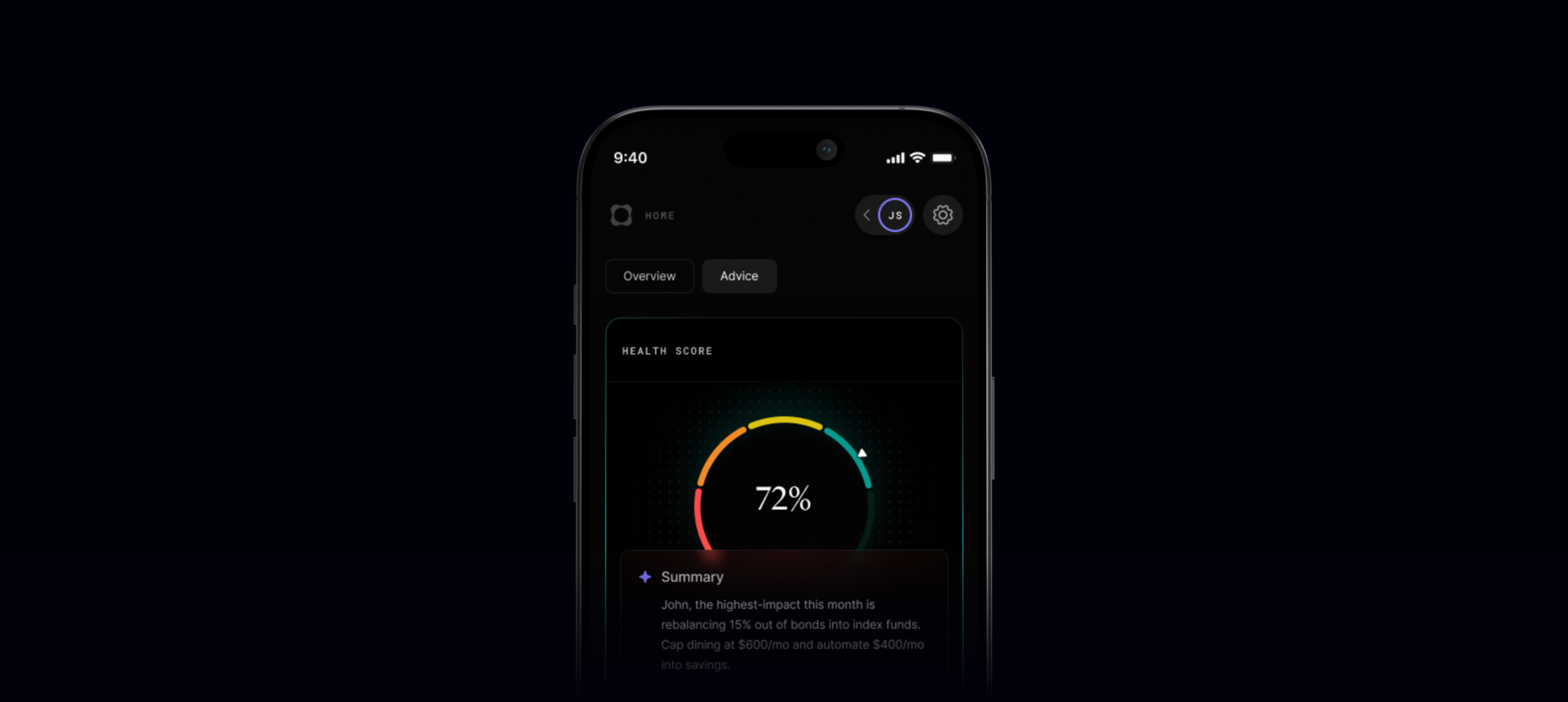
A few things worth knowing about how it works.
- It updates on its own. Pay down debt, miss a savings target, open a new account — the score adjusts without you doing anything. It's a live read, not a monthly snapshot you have to remember to refresh.
- It's wide on purpose. A budgeting app tells you that you overspent on restaurants last month. Origin tells you that your emergency fund covers 1.8 months instead of three, your portfolio has 38% tech exposure, and you haven't updated your beneficiary designations since 2019 — all at once.
- It also doesn't punish you for missing data. Checks that require accounts you haven't connected yet go into review, not failure. The score only reflects what Origin can actually see, which is a more honest number than most finance tools give you.
Working Through Your Actions
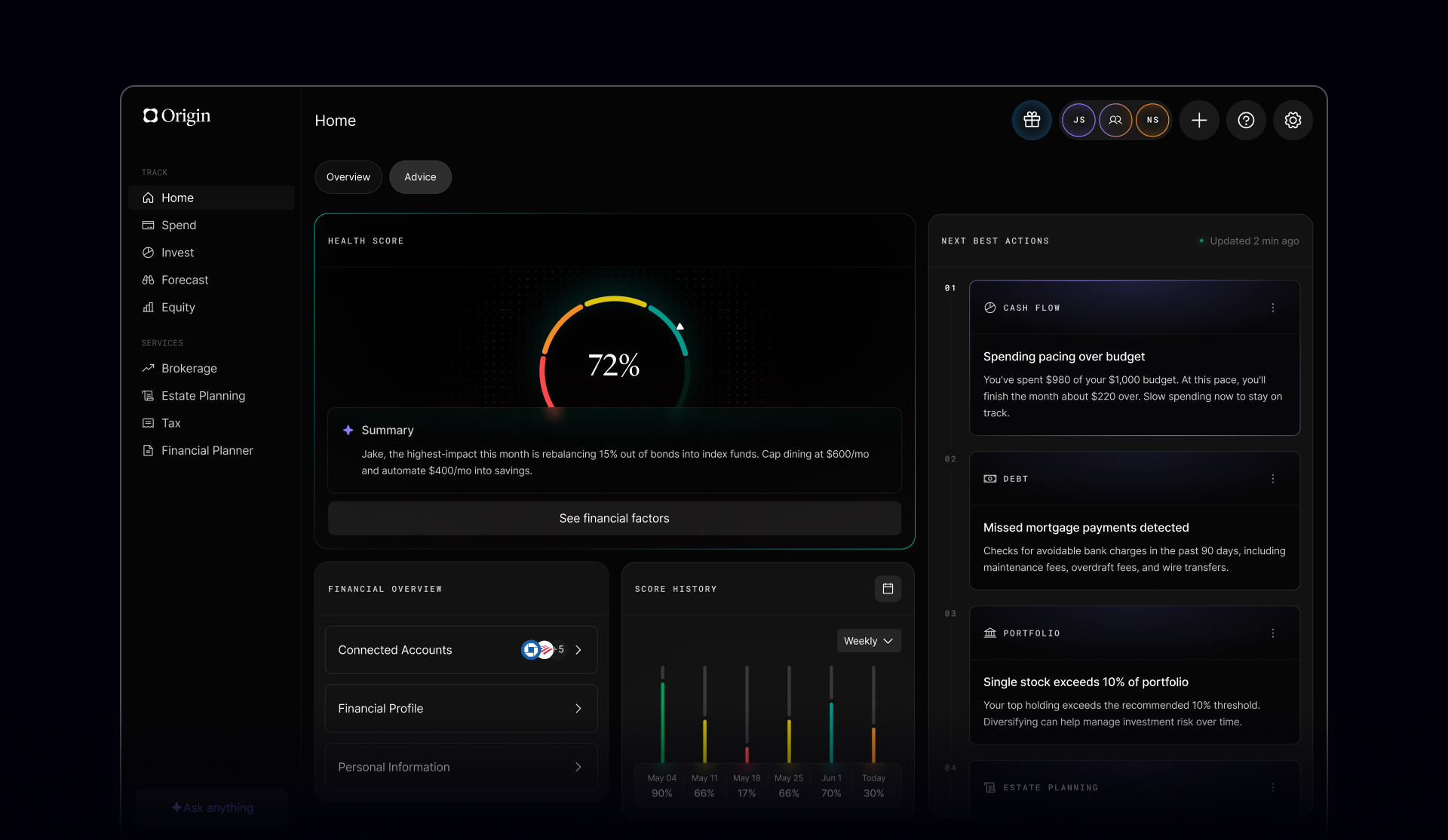
Below your Health Score, you'll find your Actions — a prioritized list of specific things to do to improve your finances.

- Each Action comes from a check where there’s a better move. Savings rate dipped below 10% last month? Action. A single stock is now more than 10% of your portfolio? Action. Never set up a budget in Origin? Also on the list, and yes, it will keep being on the list until you do it.
- Tap into any Action, and you get the full picture: why it was surfaced, what the underlying data shows, and what fixing it is actually worth to your bank account. The reasoning is there because "just trust us" is not a great basis for financial decisions.
A few tips for working through them.
- Start at the top. Origin surfaces Actions in order of impact. The ones at the top of your list have the most leverage on your financial life and overall score — that's where to put your energy first.
- Mark things complete when you've handled them. Some checks update automatically when Origin detects a change in your data. Others — like confirming you have life insurance or an umbrella policy — are self-reported, and you'll confirm directly in the app. Either way, checking things off actually moves your score.
- And, you don't have to do everything today. The whole idea is that nothing slips through the cracks over time. Work through Actions at whatever pace is sustainable — the monitoring runs in the background regardless.
Using your proactive AI Advisor
Origin's AI Advisor — the same system that already outperforms human CFP® professionals on financial reasoning benchmarks — now has full context from your Health Score, your open Actions, and your complete financial history. That's a meaningful upgrade from the previous version, where the Advisor could answer anything you asked but had no visibility into what you hadn't thought to ask about.
To follow up with a question:
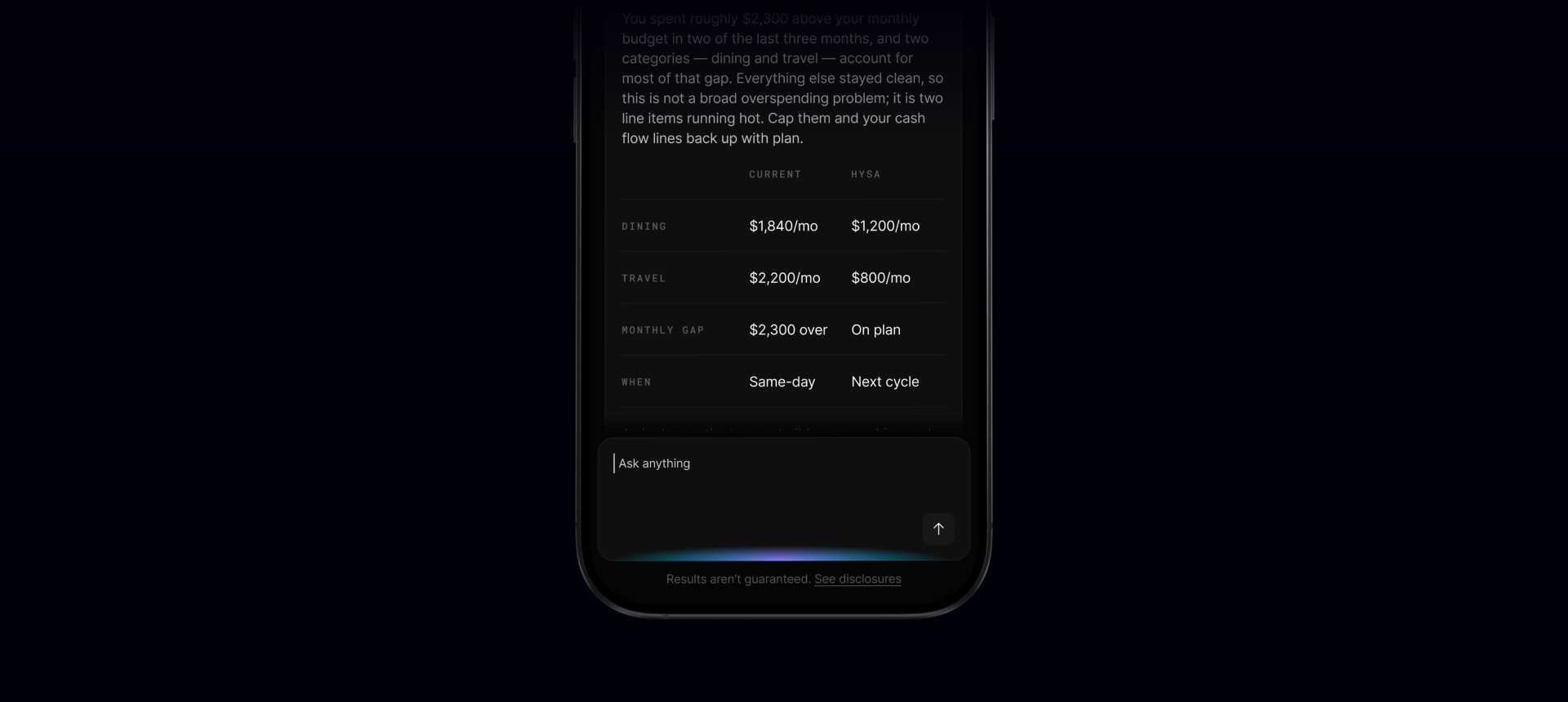
You can still ask it anything. Literally. "Why is my Health Score this low?" "What happens to my retirement projection if I bump my 401(k) contribution by 2%?" "Is my debt-to-income ratio actually a problem or just a number?" "What does this tax-loss harvesting Action mean in plain English?"
The answers are specific to your situation because the Advisor is working from your actual financial data, not a generic knowledge base. It won't tell you to "diversify your portfolio." It'll tell you that your tech exposure is at 38% and walk you through what a more balanced allocation would look like given your risk profile and timeline.
Some ways to get more out of it.
- Go deeper on an Action you don't fully understand. The Advisor can explain the context, the math, and the tradeoffs for anything on your list — in your actual numbers, not hypothetical ones.
- Ask forward-looking questions. Thinking about buying a house, changing jobs, or retiring five years earlier than planned? Ask the Advisor to model it against your current picture. It can run scenarios without you having to reconstruct your whole financial situation from scratch every time.
- Follow the thread. The Advisor maintains context throughout a conversation, so you can keep asking questions without having to re-explain who you are and what you own. Treat it like a back-and-forth, not a search bar.
- Want AI Advisor to remember something for later? Start your message with “Remember” and clearly state the financial detail, preference, or goal you want it to save.
What Origin Is Watching
For reference, the monitoring layer runs checks across eight major areas of your financial life:
- Cash Flow — budgeting, spending patterns, income trajectory, savings rate
- Retirement — contribution rates, account types, Roth eligibility, 401(k) optimization
- Investments — risk alignment, concentration risk, expense ratios, excess cash drag
- Credit — utilization, hard inquiries, account health
- Spending — above-trend patterns, overdraft history, banking fees
- Protection — life, health, disability, and umbrella insurance coverage
- Tax — loss harvesting opportunities, tax-advantaged account utilization
- Estate — will, beneficiary designations, power of attorney, trust status
Not all of these will apply to your situation. If you don't have dependents, certain estate checks are N/A. If you don't have investment accounts linked, investment checks go into review. Origin doesn't manufacture things for you to worry about — it works with what's actually there.
The Bigger Picture
The honest version of what this update is trying to do: make sure you never miss something important about your money because life got busy and you forgot to look.
You shouldn't need to be a financial expert to make good financial decisions. You shouldn't need to already know what questions to ask. Use Origin, check your score, work through your Actions, let the AI Advisor handle the stuff you're not sure about, and let the monitoring layer keep running in the background.
That's the whole thing.
One more thing: To celebrate this launch, we're giving away $10,000 as a savings boost..
Here's how to enter:
1. Check out our launch video on Instagram
2. Repost it to your story
3. Tag @use.origin
4. Include #OriginGiveaway
Prize varies by Origin membership status. See official rules here
Answers to your questions
Yes. Origin offers partner access so you can manage your finances together at no additional cost. You’ll be able to filter transactions by member—making it easy to see which spending is yours and which belongs to your partner.

Yes. You can edit existing transactions and add new ones directly in Origin, so your records stay accurate and personalized.
Origin connects securely through trusted partners including Plaid, MX, and Mastercard.
Yes. Origin supports CSV uploads. You can upload a .csv file of your transactions, and we’ll import them into your account.
Yes. Your data is protected with bank-level security and advanced encryption. When you connect accounts through Origin, your login credentials are never shared with us. Instead, our partners generate secure tokens that let Origin access only the data you authorize—keeping your personal information private while enabling personalized insights.
Yes. You have full control to organize your spending in Origin. Transactions are automatically categorized by Origin, but you can always edit categories, add your own tags, and filter transactions however you like—so your spending reflects the way you actually manage money.