


How to Use Our New Feature, Budgeting by Groups


Origin takes the confusion out of budgeting and tracking — and we just added a new feature that allows you to further customize your dashboard: budget groups. With budget groups, you can group your specific budget line items under a broader group umbrella. So, for example, you can slot organize your grocery, restaurant, and meal kit budget items under one larger “food” category.
This is a new feature, and we want to make it as easy as possible for you to start using it, so below, we'll walk you through how to budget by groups.
Creating categories
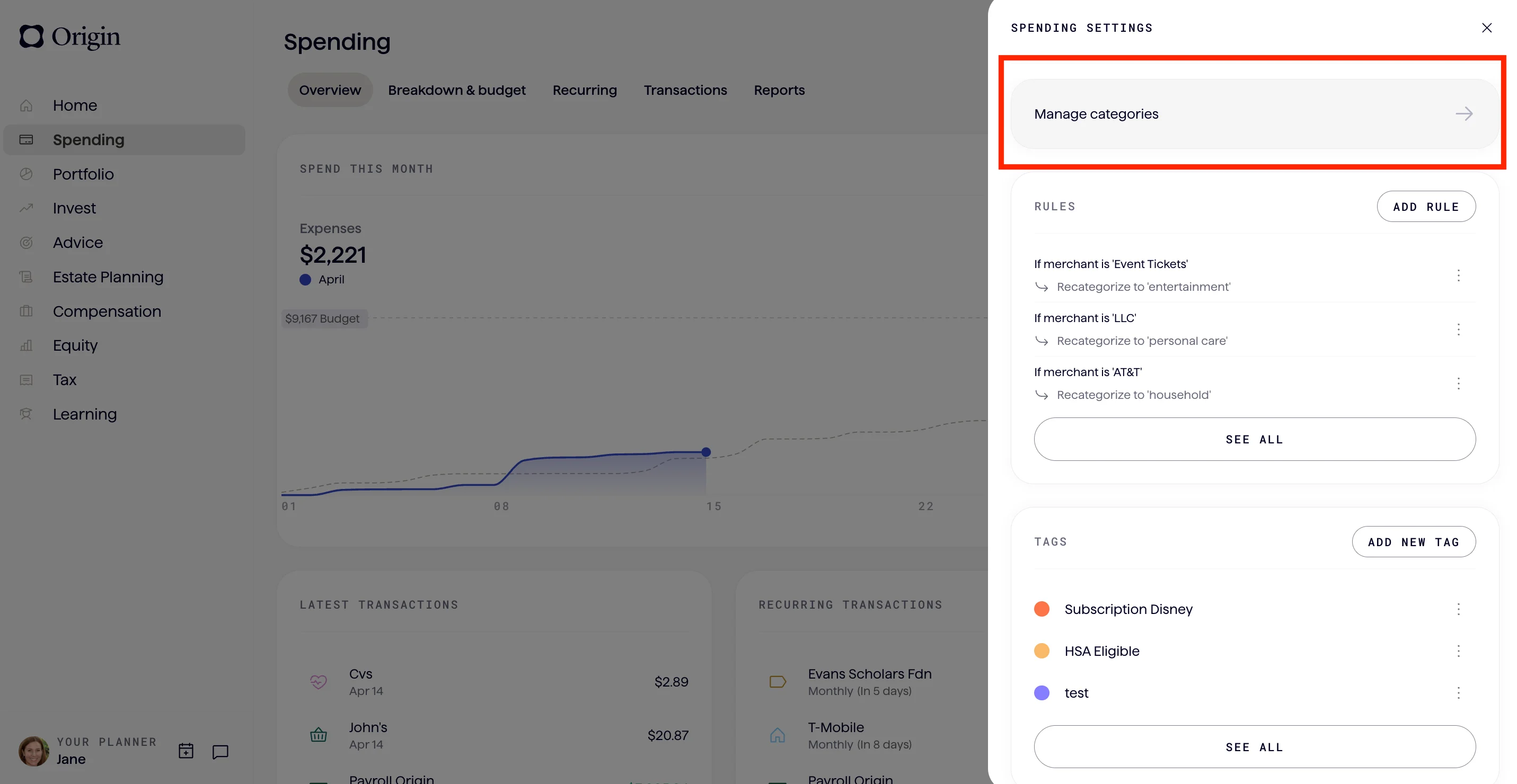
- In your spending tab, go to “Spend Settings” in the top right corner.
- Click “Manage Categories.”
- Click “New Group.”
Editing your budget
Now that you’ve made your categories, you can begin editing your budget.
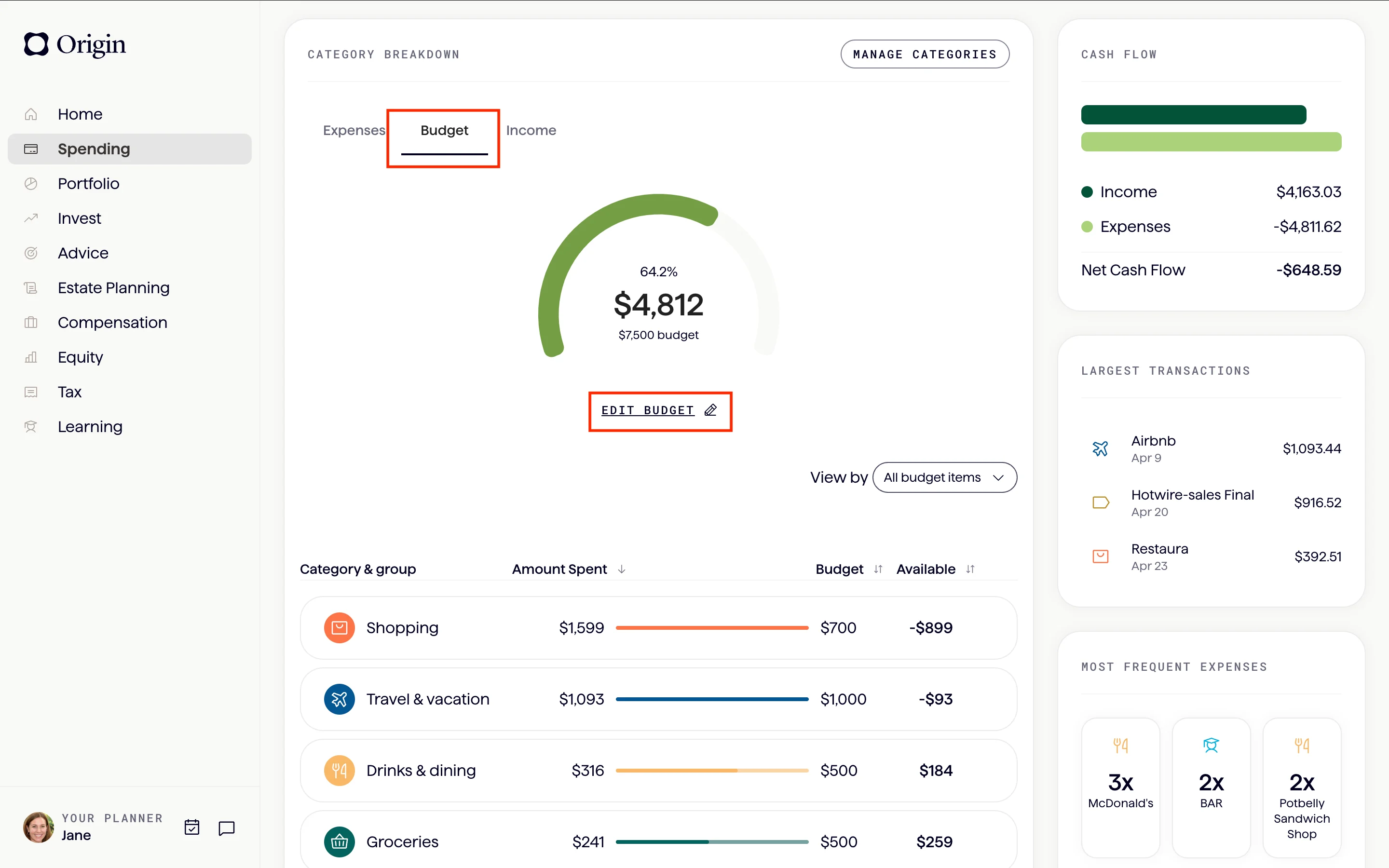
- On the spending tab, navigate to “Breakdown & Budget.”
- Click the Budget tab.

- Click “Edit Budget.”
- Scroll down to click “Add Category or Group.”
- Click the “+” (plus) button to any group you want to add and follow the prompts.

- Once you’ve added your groups, you can adjust your existing budget to make sure everything is tailored to your new groups.
The final product
Hit save — and now you can understand your budget on a whole different level.
Ready to customize your budget?
Answers to your questions
Yes. Origin offers partner access so you can manage your finances together at no additional cost. You’ll be able to filter transactions by member—making it easy to see which spending is yours and which belongs to your partner.

Yes. You can edit existing transactions and add new ones directly in Origin, so your records stay accurate and personalized.
Origin connects securely through trusted partners including Plaid, MX, and Mastercard.
Yes. Origin supports CSV uploads. You can upload a .csv file of your transactions, and we’ll import them into your account.
Yes. Your data is protected with bank-level security and advanced encryption. When you connect accounts through Origin, your login credentials are never shared with us. Instead, our partners generate secure tokens that let Origin access only the data you authorize—keeping your personal information private while enabling personalized insights.
Yes. You have full control to organize your spending in Origin. Transactions are automatically categorized by Origin, but you can always edit categories, add your own tags, and filter transactions however you like—so your spending reflects the way you actually manage money.